
Inventory Management Software: Everything Businesses Should Know
Captverse · September 16, 2026 · 10 min read
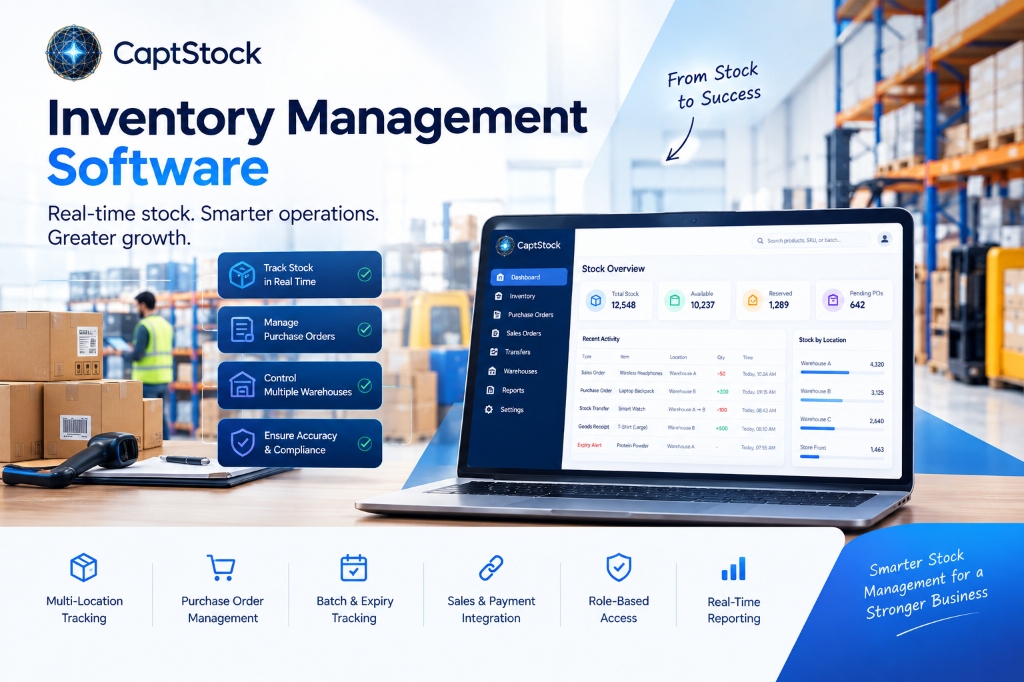
Inventory management software is a system that tracks stock levels, locations, and movements in real time, replacing manual methods such as spreadsheets and physical counts. Businesses use this software, along with related tools known as inventory tracking software and warehouse software, to reduce stockouts, control carrying costs, and keep records accurate across multiple locations. This article explains why manual stock management breaks down as a business grows, which features matter most when evaluating software, how to run a structured evaluation, and how a platform such as CaptStock supports multi-warehouse tracking, purchase orders, and order fulfillment in one connected system.
Key Takeaways
- Inventory management software tracks stock levels, locations, and movements in real time, replacing manual spreadsheets and physical counts.
- Poor stock visibility leads to stockouts, overselling, and cash tied up in the wrong products.
- Core features to look for include multi-location tracking, purchase order management, batch and expiry tracking, and integration with sales and payment systems.
- Manufacturing, retail, healthcare, and distribution businesses rely on stock management software to reduce errors and meet compliance requirements.
- A structured evaluation process, not a quick software swap, produces the best long-term fit.
- Reservation logic in warehouse software prevents sales teams from promising stock that the warehouse cannot actually ship.
- Platforms such as CaptStock combine inventory, purchase orders, transfers, and fulfillment with connected sales and payment records.
What Is Inventory Management Software?
Inventory management software is a system that records how much stock a business holds, where that stock is located, and how it moves through purchase, storage, and sale. It replaces manual processes such as spreadsheets or paper logs with a digital record that updates as transactions happen. This category is often called inventory tracking software or stock management software, and the terms are largely interchangeable in daily use.
At its core, the software maintains three numbers for every product at every location: how much is physically on hand, how much is reserved against open orders, and how much is actually available to sell. Warehouse software extends this further by managing where stock sits within a facility, how it moves between locations, and how it is picked and shipped.
This differs from accounting software, which records the financial value of stock, and from point-of-sale systems, which record individual sales transactions. Inventory management software sits between the two, giving both finance and operations teams one shared view of stock.
Why Manual Inventory Tracking Fails as Businesses Grow
Manual inventory tracking fails once a business operates more than one location, sells through more than one channel, or handles regulated goods. Spreadsheets cannot update automatically, so sales, warehouse, and finance teams often work from different numbers at the same time. The result is lost sales, excess stock, or both.
- Stale data: a spreadsheet reflects the last manual update, not the current state of the warehouse.
- Overselling risk: without automatic reservation, two orders can claim the same unit before anyone notices.
- Untraceable transfers: stock moving between locations with no shared record is difficult to trace and easy to dispute.
- Disconnected buying and selling: purchase orders, goods receipt, and stock counts often live in separate files with no single source of truth.
- Batch and expiry blind spots: expiry dates and lot numbers recorded as free text are easy to miss and hard to audit.
Why Inventory Visibility Matters More Than Ever
Inventory visibility means knowing what stock a business holds, where it sits, and how much of it is genuinely available at any given moment. Even well-resourced organizations struggle with this. A January 2026 McKinsey analysis of global supply chain leaders found that while 95 percent of companies report visibility into their direct suppliers, only 42 percent can see into the next tier, and that share has declined since 2022 [1].
The same pattern shows up inside a single warehouse when purchasing, sales, and stock records live in separate tools. Without one connected view, businesses tend to overstock some products while running out of others, which ties up working capital and lowers service levels. Software that keeps one live number for on-hand and available stock closes this gap at the operational level, even if broader supply chain visibility remains a longer-term challenge.
Core Features to Look for in Inventory Management Software
The right feature set depends on business size and complexity, but most growing businesses need the same core capabilities. These features separate stock management software built for daily operations from a basic spreadsheet or a single-location point-of-sale add-on.
- Multi-location and multi-warehouse stock tracking
- Real-time on-hand, reserved, and available quantities
- Purchase order creation and goods receipt tracking
- Stock transfers between locations with an approval step
- Batch, lot, and expiry tracking for regulated or perishable goods
- Sales order management tied to actual available stock
- Role-based access control for warehouse, sales, and admin users
- Integration with accounting, CRM, and payment systems
Inventory Management Software vs Spreadsheets vs ERP Modules
Spreadsheets, standalone inventory management software, and the inventory modules built into large ERP systems solve the same basic problem at different levels of cost and complexity. The right choice depends on how many locations a business runs, how many people update stock, and how much it can spend on setup and maintenance.
| Criteria | Spreadsheets | Standalone Inventory Software | Full ERP Inventory Module |
|---|---|---|---|
| Real-time stock updates | No, manual entry | Yes | Yes |
| Multi-warehouse support | Limited, error prone | Yes | Yes |
| Purchase order and receipt tracking | Separate file or none | Built in | Built in |
| Batch and expiry tracking | Manual notes | Built in | Built in |
| Setup time and cost | Low | Low to moderate | High |
| Best fit | Very small, single-location stock | Growing multi-location businesses | Large enterprises already on ERP |
How Inventory Management Software Improves Business Outcomes
Inventory management software improves business outcomes by giving operations, sales, and finance teams one accurate view of stock instead of three separate ones. This reduces the manual reconciliation work that eats into a team's time and cuts the errors that come with re-entering the same data in different systems.
- Reduced operational cost: fewer manual counts, less rework, and less capital tied up in excess stock.
- Faster order processing: orders move from confirmation to shipment without manual stock checks at each step.
- Improved compliance: batch, lot, and audit trails support regulatory reviews in pharma, food, and other regulated sectors.
- Lower business risk: fewer oversold orders and fewer shipments delayed by stock the system did not know it had.
- Increased productivity: warehouse and sales staff spend less time chasing stock counts across systems.
- Better customer experience: accurate delivery promises and fewer cancelled or delayed orders.
Industries That Rely Most on Stock Management Software
Any business that holds physical stock across more than one location benefits from stock management software, but a few industries depend on it directly for daily operations and compliance.
- Manufacturing: raw material and work-in-progress tracking across production lines and suppliers.
- Retail and distribution: stock accuracy across stores, warehouses, and online channels to avoid overselling.
- Healthcare and pharmaceuticals: batch and expiry tracking required for regulatory compliance and product recalls.
- Automotive and industrial supply: multi-warehouse parts tracking to support service and repair operations.
- Government agencies: asset and supply tracking across departments and facilities, often under procurement rules.
How to Evaluate and Implement Inventory Management Software
A structured evaluation reduces the risk of choosing software that does not fit how the business actually operates. The following steps apply whether a business is replacing spreadsheets or switching from an older system.
- Document current problems and requirements: List the specific problems with the current process, such as overselling, slow purchase orders, or untraceable transfers.
- Map users and access needs: Identify which roles need access to which data, such as warehouse staff, sales agents, and finance.
- Shortlist vendors: Compare vendors against the required feature list, not against marketing claims.
- Test with real data: Load real product and stock data into a trial account before committing.
- Plan data migration: Decide how existing stock counts and open orders will move into the new system.
- Phase the rollout: Roll out to one warehouse or product line first, then expand once the process is proven.
- Review results after 90 days: Check stock accuracy, order errors, and user adoption against the goals set at the start.
Where CaptStock Fits Into This Picture
CaptStock is inventory and warehouse software built to address the problems outlined above: disconnected buying and selling, untraceable transfers, and stock numbers that do not match what the warehouse can actually ship. It tracks products, warehouses, stock levels, purchase orders, goods receipt, and sales orders in one system of record.
Stock reservation happens automatically when a sales order is confirmed, and it releases automatically if the order is cancelled, which keeps available stock accurate without manual checks. Purchase orders and goods receipt update stock on hand directly, closing the gap between what purchasing ordered and what the warehouse actually received. Batch and lot data can be captured at receipt for businesses that need expiry tracking.
Because CaptStock is part of a wider business platform, it can share customer and payment data with connected sales and payment tools when both are in use, so a confirmed sales order and its payment status stay visible in one place instead of two.
Best Practices for Ongoing Stock Management
Software alone does not fix stock accuracy. The businesses that get the most out of inventory management software pair it with a few consistent operating habits.
- Reconcile system stock against physical counts on a fixed schedule, not only when a problem appears
- Set low-stock thresholds so reordering starts before a stockout, not after
- Review slow-moving and expiring stock on a regular cycle to avoid write-offs
- Limit who can adjust stock manually, and require a reason for every adjustment
- Audit transfer records between warehouses monthly to catch discrepancies early
FAQ
What is the difference between inventory management software and stock management?
Stock management describes the broader practice of controlling how much stock a business holds and where. Inventory management software is the tool that supports that practice with real-time tracking, purchase orders, and reporting. The terms are often used together because the software is how most businesses put stock management into daily practice.
Is inventory management software necessary for small businesses?
It becomes necessary once a small business sells through more than one channel, operates more than one location, or manages products with batches or expiry dates. Below that level, a well-maintained spreadsheet can work temporarily. Growth is usually the trigger that makes manual tracking unreliable.
What is the difference between inventory tracking software and warehouse software?
Inventory tracking software focuses on stock quantities and locations across a business. Warehouse software adds operational detail inside a facility, such as pick lists, transfers, and receiving workflows. Many platforms, including CaptStock, combine both functions in one system.
How long does implementation typically take?
Timelines depend on the number of locations, products, and integrations involved. A single-location business can often go live within a few weeks, while a multi-warehouse rollout with data migration and staff training can take one to three months when phased by location.
Can inventory management software prevent stockouts entirely?
No software eliminates stockouts completely, since demand and supply disruptions still occur. It reduces stockouts caused by inaccurate data, such as selling stock that was already reserved or committed elsewhere, by keeping one accurate, shared record of what is actually available.
Conclusion
Inventory management software solves a problem that spreadsheets and disconnected tools cannot: keeping one accurate record of stock across every location, order, and transaction. Businesses that adopt it see fewer stockouts, lower carrying costs, better compliance, and less manual reconciliation work across sales, warehouse, and finance teams.
The right choice depends on the number of locations, the complexity of the supply chain, and the level of integration a business needs with sales and payment systems. A structured evaluation, tested against real data, produces a better long-term fit than a quick software swap. Platforms such as CaptStock bring stock, purchase orders, transfers, and fulfillment into one connected workflow for businesses ready to move past spreadsheets.
Ready to see how CaptStock can bring your stock, purchase orders, and fulfillment into one system? Book a demo with our team to walk through your warehouse setup and get your questions answered.
References
- McKinsey & Company, Decoding disruption to reshape manufacturing footprints, January 2026.