
Role-Based Access Control (RBAC): Everything You Need to Know
Captverse · September 1, 2026 · 12 min read
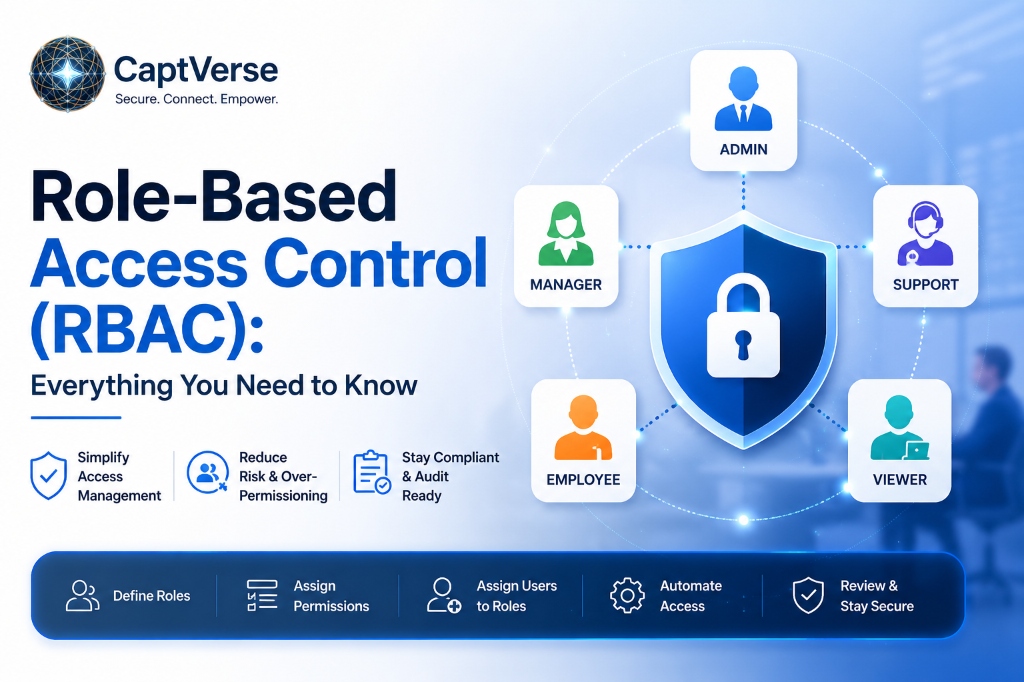
Role-based access control (RBAC) is a method of managing user permissions by assigning access rights to roles rather than to individual users, then assigning employees to the roles that match their job function. Instead of granting or revoking permissions one person at a time, administrators manage access at the role level, which scales more predictably as a business grows. This guide explains how RBAC works, how it compares to other access control models, and why it has become the standard approach to access management in most business applications. It also covers common implementation challenges and a practical framework for designing an RBAC model that fits how a business actually operates.
Key Takeaways
- Role-based access control assigns permissions to roles, not individuals, so access changes automatically when an employee's role changes.
- RBAC reduces the risk of over-permissioned accounts, a common source of unnecessary exposure during a security incident.
- A NIST-sponsored economic analysis found that RBAC has saved US industry more than a billion dollars through more efficient access management and reduced employee downtime.
- RBAC differs from access control lists (ACLs) and attribute-based access control (ABAC) in how permissions are structured and maintained.
- Common RBAC challenges include role explosion and unclear role definitions, both of which are avoidable with upfront planning.
- Designing an effective RBAC model starts with mapping job functions to required access, not starting from existing ad hoc permissions.
- RBAC works best as part of a broader identity management strategy that includes SSO, MFA, and automated provisioning.
What Is Role-Based Access Control (RBAC)?
Role-based access control (RBAC) is a method of managing user permissions by assigning access rights to defined roles, such as "sales manager" or "billing administrator," and then assigning users to those roles based on their job function. Instead of granting permissions to each person individually, an administrator defines what a role can access once, and every user in that role inherits the same permissions.
For a business, this means a new employee hired into a specific role automatically receives the correct level of access on day one, without IT manually deciding what each individual should be able to see or do. When that employee changes departments, updating their role updates their access accordingly.
RBAC has become the standard model for access management in most business software, from CRM platforms to financial systems, because it is easier to maintain accurately than assigning permissions one user at a time.
Why Do Businesses Need Role-Based Access Control?
Businesses need role-based access control because manually assigning permissions to individual users does not scale, and it consistently leads to over-permissioned accounts that carry unnecessary risk. As a company grows, tracking who has access to what becomes difficult without a structured system.
Without RBAC, permissions are often granted ad hoc, an employee asks for access to a system, someone approves it, and that access frequently remains long after it is needed. This pattern, sometimes called privilege creep, means employees accumulate more access over time than their current role requires.
Credential-related risk makes this a security concern, not just an administrative one. According to Verizon's 2025 Data Breach Investigations Report, stolen or compromised credentials were involved in 22% of breaches analyzed, and an over-permissioned account gives an attacker who obtains those credentials access to far more than they should have [1]. RBAC limits that exposure by keeping access aligned to actual job requirements.
How Does Role-Based Access Control Work?
Role-based access control works by defining a set of roles within a system, assigning specific permissions to each role, and then assigning users to the role or roles that match their job responsibilities. Access decisions are made at the role level, not the individual level.
- Define roles based on job function. Roles are created to reflect actual responsibilities, such as "accounts payable clerk" or "regional sales director."
- Assign permissions to each role. Administrators specify exactly what each role can view, edit, or manage within a system.
- Assign users to roles. Employees are added to the role or roles that match their current job function, rather than receiving individual permission grants.
- Users inherit role permissions automatically. Once assigned, a user's access reflects whatever permissions their role includes, with no separate configuration needed.
- Roles are updated as job functions change. When an employee changes positions, their role assignment is updated, and their access changes to match without manual reconfiguration of individual permissions.
This structure means access control decisions happen once, at the role level, instead of repeatedly for every individual employee.
What Are the Core Components of an RBAC Model?
An RBAC model is built from a small set of core components, roles, permissions, users, and sessions, that together define who can access what within a system. Understanding these components helps businesses design a model that fits their actual organizational structure.
| Component | What It Represents |
|---|---|
| Role | A defined job function or responsibility, such as "HR manager" or "warehouse supervisor" |
| Permission | A specific action or level of access, such as "view invoices" or "edit customer records" |
| User | An individual employee assigned to one or more roles |
| Session | An active instance of a user exercising the permissions granted by their assigned role |
| Role hierarchy | A structure where senior roles inherit the permissions of roles beneath them, reducing redundant configuration |
| Constraints | Rules that limit role assignment, such as preventing one user from holding two conflicting roles |
Most enterprise identity platforms support these components natively, allowing administrators to build role structures without custom development work.
What Are the Benefits of RBAC for Access Management?
RBAC improves access management by reducing the time required to grant and revoke permissions, limiting over-permissioned accounts, and giving compliance teams a clear record of who can access what and why. These benefits compound as an organization adds more applications and employees.
- Faster onboarding: New employees receive correct access immediately based on their assigned role, without manual permission-by-permission setup.
- Reduced over-permissioning: Access stays aligned to job function, limiting the risk created by unnecessary or forgotten permissions.
- Simplified audits: Compliance teams can review access by role rather than tracing individual permission grants across systems.
- Lower administrative overhead: Updating a role's permissions automatically applies to every user in that role, instead of requiring changes user by user.
- Consistent policy enforcement: Access decisions follow a defined structure rather than varying based on who approved a request.
- Measurable economic benefit: A NIST-sponsored economic analysis estimated that RBAC has saved US industry more than a billion dollars since its development, largely through more efficient access management and reduced unproductive employee downtime [2].
RBAC vs Other Access Control Models: What Is the Difference?
The core difference between RBAC and other access control models is what determines a user's permissions: RBAC assigns access based on role, while access control lists (ACLs) assign access per individual, and attribute-based access control (ABAC) uses a broader set of dynamic attributes. Each model fits different business needs.
| Model | How Access Is Determined | Best Suited For |
|---|---|---|
| RBAC (Role-Based) | Permissions tied to a defined role | Organizations with clear, stable job functions |
| ACL (Access Control List) | Permissions assigned directly to individual users or resources | Small systems with few users or highly specific, one-off access needs |
| ABAC (Attribute-Based) | Permissions based on user, resource, and environmental attributes (time, location, device) | Complex environments needing dynamic, context-based access decisions |
| DAC (Discretionary) | Resource owners decide who gets access | Environments where individual data owners control sharing, such as file systems |
Many enterprise identity platforms support RBAC as the primary model while layering in attribute-based rules for specific high-sensitivity scenarios, combining the simplicity of roles with additional context where it matters.
What Are Common RBAC Use Cases Across Industries?
RBAC applies wherever a business needs to control access based on job function, which covers most regulated and multi-department organizations. The specific role structures vary by industry, but the underlying approach stays consistent.
- Healthcare: A hospital assigns clinical staff to roles that grant access to patient records relevant to their department, while billing staff receive access limited to financial systems, supporting HIPAA compliance.
- Banking: A bank assigns tellers, loan officers, and branch managers to distinct roles, so each employee can only access the systems and customer data relevant to their position.
- Manufacturing: A manufacturer assigns plant supervisors and quality control staff to roles that grant access to production and inventory systems specific to their facility.
- Insurance: An insurer assigns claims adjusters and underwriters to separate roles, limiting each to the systems and policy data relevant to their function.
- Government: A government agency assigns case workers and administrators to roles with access limited to the records required for their specific responsibilities, supporting audit and public accountability requirements.
What Are the Challenges of Implementing RBAC?
The most common challenges in implementing RBAC are role explosion, unclear role definitions, and the upfront effort required to map existing ad hoc permissions into a structured role model. None of these challenges rules out RBAC, but each benefits from planning before rollout.
- Role explosion: Creating overly specific roles for every minor variation in access needs can result in hundreds of roles that become difficult to manage, defeating the purpose of simplification.
- Unclear role definitions: Roles that do not map cleanly to actual job functions create confusion about what access an employee should have.
- Legacy permission cleanup: Businesses transitioning from ad hoc access grants often discover permissions that no longer match any defined role, requiring cleanup before RBAC can be applied accurately.
- Cross-functional employees: Employees who work across multiple departments may need more than one role, which requires a model that supports multiple role assignments without creating conflicts.
- Ongoing maintenance: Roles need periodic review as job functions evolve, or the model gradually drifts away from how the business actually operates.
How Should Businesses Design an RBAC Model?
Businesses should design an RBAC model by starting with actual job functions rather than existing permissions, defining a manageable number of roles, and building in a review process to keep roles aligned with how the organization operates. A structured design process avoids both role explosion and access gaps.
- Map job functions to required access. Document what each role genuinely needs to do its job, rather than copying existing ad hoc permissions.
- Group similar responsibilities into a manageable number of roles. Avoid creating a separate role for every minor variation in access needs.
- Define a role hierarchy where appropriate. Allow senior roles to inherit permissions from roles beneath them to reduce redundant configuration.
- Set constraints for conflicting roles. Prevent situations where one user holding two roles creates an unintended security gap, such as combining approval and execution permissions.
- Assign users to roles based on current job function. Avoid granting individual exceptions outside the role structure whenever possible.
- Review roles on a regular schedule. Confirm that role definitions still match actual job responsibilities as the organization changes.
How CaptIdentity Supports Role-Based Access Control
Businesses that want to manage user permissions through RBAC without building custom logic into every application can use CaptIdentity, an identity management platform that includes role-based access control alongside SSO, MFA, and SCIM provisioning. CaptIdentity lets administrators define roles once and apply them across every connected application from a single console.
Because RBAC is built into the same platform as provisioning, new users assigned to a role automatically receive the correct permissions the moment their account is created, and access updates automatically if their role changes. CaptIdentity also logs every role assignment and permission change in its audit trail, giving compliance teams a clear record of user permissions without manually tracing access across separate systems.
Best Practices for Managing User Permissions with RBAC
Effective long-term management of user permissions with RBAC depends on keeping the role structure simple, reviewing access regularly, and treating role design as an ongoing process rather than a one-time project. Following a consistent process keeps the model accurate as the business changes.
- Start with a small number of broad roles and refine them only as specific access gaps appear, rather than designing dozens of narrow roles upfront.
- Avoid granting individual permission exceptions outside the role structure, since exceptions are the most common source of access drift over time.
- Review role assignments during regular access audits, not only when a security incident prompts a review.
- Document the reasoning behind each role's permissions, so future administrators understand why access was granted.
- Combine RBAC with automated provisioning, so role assignments and account creation happen together rather than as separate manual steps.
- Set up alerts for role changes involving sensitive systems, so unusual access grants are reviewed quickly.
- Retire unused roles periodically to keep the access management structure accurate and easy to audit.
FAQ
What is the difference between RBAC and user permissions set individually?
RBAC assigns permissions to a role that multiple users share, while individually set permissions are configured one user at a time. RBAC scales more predictably, since updating a role automatically applies to every user assigned to it.
Can an employee have more than one role in RBAC?
Yes, most RBAC models support assigning a user to multiple roles when their job function spans more than one area. Constraints can be added to prevent role combinations that would create a security conflict.
How is RBAC different from attribute-based access control (ABAC)?
RBAC assigns access based on a defined role, while ABAC evaluates a broader set of attributes, such as location, device, or time of access, to make dynamic decisions. Many businesses use RBAC as the primary model and add ABAC-style rules for specific high-sensitivity scenarios.
Does RBAC work for small businesses, or only large enterprises?
RBAC works for businesses of any size, though small businesses may need only a handful of roles compared to the more complex role structures larger organizations require. The core benefit, reducing manual permission management, applies regardless of company size.
How often should RBAC roles be reviewed?
Most businesses review RBAC roles at least annually, or whenever a significant organizational change occurs, such as a restructuring or a new department. Regular review prevents roles from drifting away from actual job responsibilities.
Conclusion
Role-based access control replaces manual, user-by-user permission management with a structured system where access follows job function. This reduces the administrative burden of managing permissions, limits the risk created by over-permissioned accounts, and gives compliance teams a clear, auditable record of who can access what.
RBAC works best as part of a broader identity management strategy that includes SSO, MFA, and automated provisioning, rather than as a standalone control. Platforms such as CaptIdentity bring these pieces together, so role assignments, account provisioning, and access audits operate from one system instead of being managed separately.
If your business is still managing user permissions manually or through scattered individual approvals, see how role-based access control fits into your current identity setup.
Book a Demo with CaptIdentity →
References
- Verizon, 2025 Data Breach Investigations Report.
- National Institute of Standards and Technology (NIST), Economic Analysis of Role-Based Access Control: Final Report.