
Multi-Factor Authentication (MFA): Best Practices for Modern Businesses
Captverse · August 30, 2026 · 11 min read
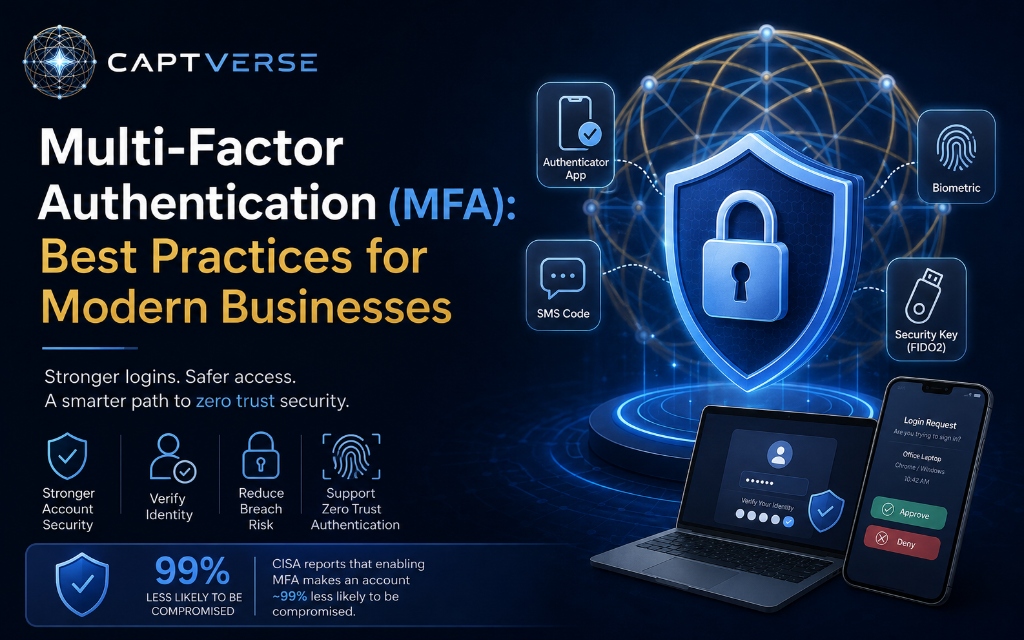
Multi-factor authentication (MFA) requires a user to verify their identity with two or more independent credentials before gaining access to an account or system. It addresses a specific business problem: passwords alone are easy to steal, guess, or reuse, and a single stolen password should not be enough to compromise a business account. This guide explains how MFA works, the common authentication methods available today, and where each fits in terms of security strength and user convenience. It also covers how MFA supports zero trust authentication, common adoption challenges, and a practical framework for rolling MFA out across a business without disrupting daily operations.
Key Takeaways
- Multi-factor authentication requires at least two independent credentials, such as a password and a one-time code, before granting access.
- Government agencies including CISA report that enabling MFA makes an account roughly 99% less likely to be compromised.
- Not all MFA methods offer the same protection. Phishing-resistant methods like hardware security keys and passkeys outperform SMS-based codes.
- MFA is a foundational control in zero trust authentication, which assumes no login should be trusted by identity alone.
- Businesses should prioritize MFA rollout by risk, starting with privileged accounts, remote access, and internet-facing applications.
- User resistance and legacy application compatibility are the most common barriers to full MFA adoption.
- MFA software that integrates with single sign-on (SSO) and identity security tools reduces both risk and IT management overhead.
What Is Multi-Factor Authentication (MFA)?
Multi-factor authentication (MFA) is a login method that requires a user to verify their identity using two or more independent types of credentials before gaining access to an account or system. These credential types typically fall into three categories: something the user knows, such as a password, something the user has, such as a phone or security key, and something the user is, such as a fingerprint.
The purpose of MFA is straightforward. If an attacker steals or guesses a password, that single credential is no longer enough to access the account, since a second, independent factor is also required. This makes MFA one of the most effective controls available against account compromise.
MFA has become a baseline expectation in business identity security, not an advanced or optional feature. Most compliance frameworks, cyber insurance policies, and enterprise customers now expect MFA to be enabled across business-critical systems.
Why Do Businesses Need Multi-Factor Authentication?
Businesses need multi-factor authentication because passwords alone are consistently the weakest point in account security, and a single compromised password should not be enough to grant an attacker access. Employees reuse passwords across personal and work accounts, and any one of those accounts being breached can expose business systems as well.
The scale of the problem is well documented. According to Verizon's 2025 Data Breach Investigations Report, stolen or compromised credentials were involved in 22% of data breaches analyzed, making them one of the most common ways attackers gain initial access to business systems [1]. Passwords, even strong ones, are consistently reused, phished, or leaked in unrelated breaches.
MFA directly addresses this exposure. According to the Cybersecurity and Infrastructure Security Agency (CISA), enabling MFA makes an account roughly 99% less likely to be compromised, since it blocks most automated and credential-based attacks even when a password has already been stolen [2]. For businesses, this translates directly into reduced breach risk, lower incident response costs, and stronger standing during compliance and cyber insurance reviews.
How Does Multi-Factor Authentication Work?
Multi-factor authentication works by requiring a user to complete two or more independent verification steps from different credential categories before access is granted, so that compromising one credential alone does not compromise the account. The process typically follows a consistent sequence regardless of which methods are used.
- User enters their first factor. Typically a username and password, the knowledge-based credential.
- System requests a second factor. The application or identity platform prompts for an additional credential, such as a code or approval request.
- User provides the second factor. This might involve entering a time-based code, approving a push notification, or tapping a hardware security key.
- System verifies both factors independently. Access is granted only if both credentials check out, meaning an attacker with just the password is stopped at this step.
- Session is established. Once verified, the user gains access, often with a session token that avoids repeated MFA prompts for a defined period.
Because each factor comes from a different category, an attacker typically needs to compromise two separate systems (a password database and a physical device, for example) to bypass MFA, which is far harder than stealing a password alone.
What Are the Common Types of MFA Methods?
MFA methods vary in the second factor they require, ranging from text message codes to hardware security keys, and each method offers a different balance of security strength and user convenience. Choosing the right method matters, since weaker methods provide less protection against modern attack techniques.
| MFA Method | How It Works | Relative Security Strength |
|---|---|---|
| SMS one-time code | A code is texted to the user's phone number | Lower, vulnerable to SIM-swapping and interception |
| Authenticator app (TOTP) | A time-based code generated in an app, refreshed every 30 seconds | Moderate, stronger than SMS since it does not rely on the phone network |
| Push notification | User approves a login prompt sent to a registered device | Moderate to high, convenient but vulnerable to prompt fatigue attacks |
| Hardware security key | A physical device (such as a YubiKey) confirms identity via cryptographic exchange | High, resistant to phishing |
| Passkey (FIDO2/WebAuthn) | Biometric or device-based authentication using public-key cryptography | High, resistant to phishing and credential theft |
Businesses moving toward stronger identity security typically phase out SMS-based MFA in favor of authenticator apps, passkeys, or hardware keys, particularly for privileged accounts and remote access.
What Is Zero Trust Authentication and How Does MFA Fit In?
Zero trust authentication is a security model that assumes no login attempt should be trusted based on identity alone, requiring continuous verification of the user, device, and context before and during access. Multi-factor authentication is one of the foundational controls that makes zero trust authentication practical to implement.
In a zero trust model, a correct password is treated as necessary but not sufficient. MFA adds the additional verification layer that zero trust architecture requires, confirming that the person logging in is actually who they claim to be, not just someone who obtained a valid password.
For a banking organization, zero trust authentication might mean requiring MFA every time an employee accesses core banking systems, even from a company-managed device on the internal network, rather than trusting the network location alone. This approach limits the damage a single compromised credential or device can cause.
What Are the Benefits of MFA Software for Businesses?
MFA software benefits businesses by reducing account compromise risk, supporting compliance requirements, and giving IT a centralized way to enforce and manage authentication policies across every connected application. These benefits extend beyond security into operational and financial outcomes.
- Reduced breach risk: Blocking most credential-based attacks lowers the likelihood of a costly security incident.
- Compliance support: Frameworks such as SOC 2, HIPAA, and PCI DSS increasingly require or strongly recommend MFA for systems handling sensitive data.
- Lower insurance premiums: Many cyber insurance providers now require MFA as a condition of coverage or offer better rates to businesses that have it enabled.
- Centralized policy enforcement: MFA software lets IT apply consistent authentication rules across every connected application from one console.
- Better audit readiness: Centralized MFA software logs authentication events, making it easier to demonstrate compliance during audits.
- Improved customer and partner trust: Demonstrating identity security practices matters to enterprise customers evaluating vendors during procurement.
What Are the Common Challenges in MFA Adoption?
The most common challenges in MFA adoption are user resistance to added login steps, inconsistent support across legacy applications, and the operational overhead of managing lockouts and lost devices. None of these challenges should delay MFA rollout, but each needs a plan.
- User resistance: Employees may see MFA as an inconvenience, particularly if the rollout is not explained or if the chosen method is disruptive to their workflow.
- Legacy application gaps: Older, on-premises systems may not support modern MFA methods without additional configuration or a compatible identity platform.
- Device dependency: Methods that rely on a phone or hardware key can create access issues if a device is lost, damaged, or left at home.
- Prompt fatigue attacks: Push-based MFA can be defeated if attackers repeatedly send approval requests until a user accidentally approves one.
- Helpdesk overhead: Account lockouts and device replacement requests can increase support tickets if self-service recovery options are not in place.
A manufacturing company rolling out MFA across shop floor terminals, for example, might face device-sharing challenges that an office environment would not, which is why method choice should match how a workforce actually operates.
Best Practices for Implementing Multi-Factor Authentication
A successful MFA rollout depends on prioritizing high-risk systems first, choosing phishing-resistant methods where practical, and preparing a clear recovery process before requiring MFA company-wide. Following a structured sequence reduces disruption and support tickets during rollout.
- Start with privileged and admin accounts. These carry the highest risk if compromised, so they should require MFA first.
- Extend MFA to remote access and VPN connections. Any access point reachable from outside the office is a priority target for attackers.
- Cover internet-facing business applications next. Email, CRM, and financial platforms are commonly targeted since they are reachable from anywhere.
- Choose phishing-resistant methods where feasible. Prioritize authenticator apps, passkeys, or hardware keys over SMS-based codes.
- Set up self-service recovery options. Allow employees to register backup methods, reducing helpdesk load when a device is lost.
- Communicate the rollout clearly. Explain why MFA is being introduced and provide simple setup instructions to reduce resistance.
- Monitor authentication logs after rollout. Review failed attempts and prompt-approval patterns to catch potential attacks early.
How Should Businesses Choose MFA Software?
Businesses should choose MFA software based on the authentication methods it supports, how well it integrates with existing applications, and whether it works alongside single sign-on (SSO) and broader identity security tools rather than as a standalone add-on. A structured evaluation avoids selecting a tool that creates more overhead than it removes.
- Check supported authentication methods. Confirm the software supports authenticator apps, passkeys, and hardware keys, not just SMS codes.
- Confirm SSO integration. MFA paired with single sign-on reduces login friction while maintaining strong security.
- Review application coverage. Verify the software can enforce MFA across your specific business applications, including legacy systems if needed.
- Assess policy flexibility. Look for the ability to set different MFA requirements by role, application, or risk level.
- Evaluate reporting and audit logs. Confirm the software logs authentication events in a format useful for compliance reviews.
How CaptIdentity Supports Multi-Factor Authentication
Businesses that want to enforce multi-factor authentication without managing a separate MFA tool can use CaptIdentity, an identity management platform that includes MFA alongside SAML 2.0 single sign-on. CaptIdentity supports authenticator app-based MFA and passkey authentication, giving businesses phishing-resistant options beyond SMS codes.
Because MFA is built into the same platform as SSO, role-based access control, and SCIM provisioning, CaptIdentity lets IT teams set authentication policies by role and application from one console instead of managing MFA separately from access control. This also means every authentication event is captured in the same audit trail used for compliance reporting, rather than living in a disconnected system.
FAQ
What is the difference between two-factor authentication and multi-factor authentication?
Two-factor authentication (2FA) requires exactly two credentials, while multi-factor authentication (MFA) requires two or more, which can include additional layers beyond the standard two. In practice, most business MFA implementations use two factors, so the terms are often used interchangeably.
Is SMS-based MFA secure enough for businesses?
SMS-based MFA is better than no MFA, but it is more vulnerable to interception and SIM-swapping attacks than app-based or hardware methods. Businesses handling sensitive data should prioritize authenticator apps, passkeys, or hardware security keys where possible.
Does MFA slow down employee logins?
MFA adds a brief additional step, but paired with single sign-on, most employees only complete MFA once per session rather than for every application. Push notifications and passkeys typically add only a few seconds to the login process.
Can MFA be bypassed by attackers?
Weaker MFA methods, such as SMS codes or repeated push notifications, can be bypassed through phishing or prompt fatigue attacks. Phishing-resistant methods like hardware security keys and passkeys are significantly harder to defeat.
Is multi-factor authentication required for compliance?
Many compliance frameworks, including PCI DSS and HIPAA-aligned security guidance, require or strongly recommend MFA for systems handling sensitive data. Requirements vary by framework and industry, so businesses should confirm specifics with their compliance team.
Conclusion
Multi-factor authentication addresses a specific, well-documented weakness in business security: passwords alone are not enough to stop credential-based attacks. By requiring a second, independent factor, MFA blocks the majority of automated account compromise attempts, even when a password has already been stolen or leaked.
MFA works best as part of a broader identity security strategy that includes single sign-on, role-based access control, and zero trust authentication principles, rather than as an isolated tool bolted onto individual applications. Platforms such as CaptIdentity bring MFA together with SSO and access control in one system, so businesses can enforce consistent authentication policies without managing separate tools.
If your business is still relying on passwords alone, or managing MFA separately from your identity platform, see how MFA fits into a complete identity security setup.
Book a Demo with CaptIdentity →
References
- Verizon, 2025 Data Breach Investigations Report.
- Cybersecurity and Infrastructure Security Agency (CISA), Multifactor Authentication.