
What Is Single Sign-On (SSO)? A Complete Guide for Businesses
Captverse · August 19, 2026 · 13 min read
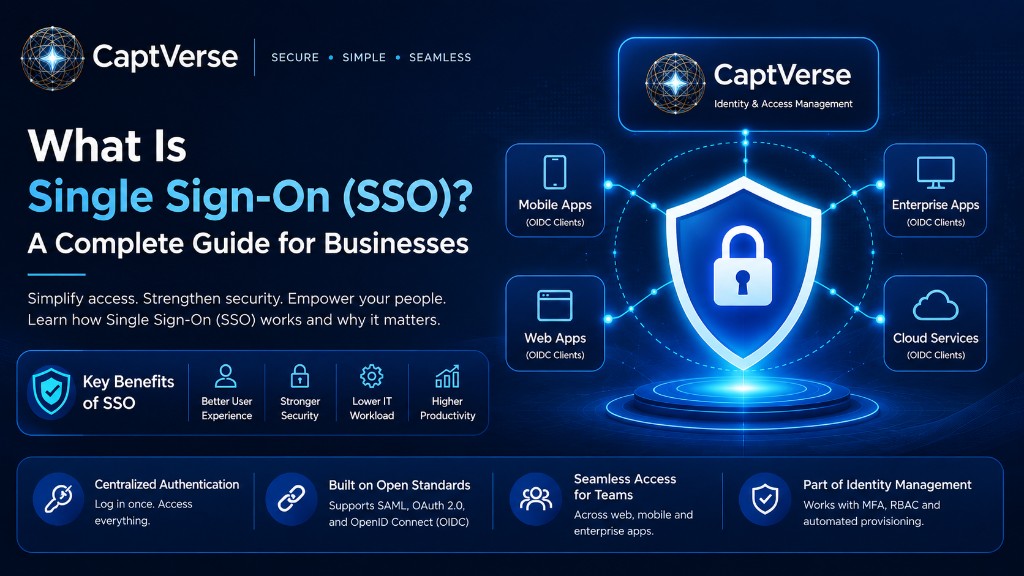
Single sign-on (SSO) is an authentication method that allows a user to log in once and gain access to multiple applications without entering separate credentials for each one. It reduces the number of passwords employees must manage and gives IT teams a central point to control access. This guide explains how SSO authentication works, why businesses adopt SSO software, the protocols behind it, and how it fits into a broader identity management strategy. It also outlines common implementation challenges and a practical framework for evaluating SSO software before making a purchase decision.
Key Takeaways
- Single sign-on lets users authenticate once and access multiple connected applications without repeated logins.
- SSO authentication reduces password fatigue, lowers helpdesk costs, and closes gaps left by weak or reused passwords.
- Common SSO protocols include SAML, OAuth 2.0, and OpenID Connect (OIDC), each suited to different use cases.
- SSO is one part of identity management, working alongside multi-factor authentication (MFA) and role-based access control (RBAC).
- Legacy application compatibility and vendor dependency are the most common challenges businesses face during SSO implementation.
- Choosing SSO software requires evaluating protocol support, provisioning capabilities, and compliance requirements, not just price.
- Stolen or compromised credentials remain a leading cause of data breaches, making centralized authentication a business priority.
What Is Single Sign-On (SSO)?
Single sign-on (SSO) is an authentication method that lets a user log in once with one set of credentials and gain access to multiple independent applications or systems. Instead of remembering a separate username and password for each tool, the user authenticates through a central identity provider, which then confirms their identity to every connected application.
For a business, this means an employee can log into their laptop or a company portal once in the morning and move between email, CRM, project management, and finance tools without logging in again. The identity provider handles authentication in the background using a security token, a small piece of encrypted data that confirms who the user is.
SSO authentication is widely used in enterprise environments because it centralizes control. IT teams can grant or revoke access to every connected application from one place, instead of managing accounts separately across dozens of systems.
How Does Single Sign-On Work?
Single sign-on works by routing every login request through a central identity provider that authenticates the user once and issues a token, which connected applications trust instead of asking for separate credentials. This token proves the user's identity across every application in the SSO setup until it expires or the session ends.
The process generally follows these steps:
- User requests access. The employee opens an application, such as a CRM or email client.
- Application redirects to the identity provider. If no valid session exists, the application sends the user to the identity provider (IdP) instead of showing its own login screen.
- User authenticates. The employee enters their credentials once, often combined with multi-factor authentication (MFA) for an added layer of verification.
- Identity provider issues a token. After confirming the user's identity, the IdP creates a signed authentication token using a protocol such as SAML or OIDC.
- Application grants access. The application verifies the token and grants access without requiring a separate password.
- Session is reused. As the user opens other connected applications, the same token is checked, and access is granted automatically, without another login prompt.
This flow is what allows a single login to carry across many applications, as long as each one trusts the same identity provider.
Why Do Businesses Need SSO Authentication?
Businesses need SSO authentication because managing dozens of separate logins increases both security risk and operational cost, while a single, centrally managed login reduces password-related vulnerabilities and simplifies access control. As companies adopt more cloud applications, the number of credentials employees must track grows quickly, and so does the risk of weak or reused passwords.
Password-related issues are a documented business problem, not a theoretical one. According to Verizon's 2025 Data Breach Investigations Report, stolen or compromised credentials were involved in 22% of data breaches analyzed, making them one of the most common ways attackers gain initial access to business systems. When employees reuse passwords across multiple tools to cope with password fatigue, a single leaked credential can expose several systems at once.
There is also a productivity cost. Every additional login is a chance for a forgotten password, a locked account, or a helpdesk ticket. IT teams spend measurable time resetting passwords instead of working on higher-value projects. Centralizing authentication through SSO software addresses both the security exposure and the operational drag that scattered logins create.
What Are the Key Benefits of SSO Software?
SSO software benefits businesses by improving security, reducing IT workload, and creating a more consistent login experience across every connected application. These benefits compound as a company adds more cloud tools to its technology stack.
- Reduced password fatigue: Employees remember one set of credentials instead of dozens, which lowers the temptation to reuse or write down passwords.
- Lower helpdesk costs: Fewer forgotten passwords mean fewer password-reset tickets, freeing IT staff for other work.
- Centralized access control: Administrators can grant, restrict, or revoke access to every connected application from a single console, which matters most when an employee joins, changes roles, or leaves the company.
- Stronger security posture: Combined with MFA, SSO reduces the attack surface created by weak or repeated passwords, since the average cost of a data breach reached USD 4.44 million globally in 2025 according to IBM's Cost of a Data Breach Report.
- Faster onboarding and offboarding: New employees gain access to approved tools immediately after their account is created, and access can be cut off instantly when they leave.
- Improved compliance readiness: A central login system makes it easier to produce access logs and audit trails during compliance reviews.
What Are the Common Types of SSO Protocols?
SSO relies on authentication protocols that define how identity information is exchanged between the identity provider and connected applications, with SAML, OAuth 2.0, and OpenID Connect (OIDC) being the most widely used today. Each protocol was built for a slightly different purpose, which affects which one a business should use.
| Protocol | Primary Use Case | How It Works |
|---|---|---|
| SAML 2.0 | Enterprise application SSO, especially web-based business software | Exchanges XML-based authentication tokens between the identity provider and the application |
| OAuth 2.0 | Authorization for third-party applications accessing user data | Issues access tokens that grant limited permissions without sharing passwords |
| OpenID Connect (OIDC) | Modern authentication built on top of OAuth 2.0 | Adds an identity layer to OAuth 2.0, confirming who the user is, not just what they can access |
| Kerberos | Internal network authentication, common in Windows domain environments | Uses encrypted tickets to verify identity across systems on the same network |
Most SSO software supports SAML and OIDC because they cover the majority of business applications, from CRM platforms to collaboration tools. Businesses evaluating SSO software should confirm that a vendor supports the protocols already used by their existing applications.
SSO vs Traditional Login: What Is the Difference?
The core difference between SSO and traditional login is where authentication happens: SSO authenticates a user once through a central identity provider, while traditional login requires separate credentials and a separate authentication check for every application. This difference has direct consequences for security, user experience, and IT management.
| Factor | Traditional Login | Single Sign-On |
|---|---|---|
| Number of passwords per user | One per application | One overall |
| Password reuse risk | High, since users often repeat passwords | Lower, since fewer passwords exist |
| Access revocation | Must be done in each application separately | Done once, applies to all connected applications |
| Onboarding speed | Slower, requires separate account setup | Faster, provisioned centrally |
| Audit trail | Scattered across systems | Centralized in one identity management system |
| IT support load | Higher, more password resets | Lower, fewer credential issues |
Traditional login is not inherently insecure, but it places the burden of good password practices entirely on the user. SSO shifts that responsibility to a managed identity system, which is easier to monitor and secure at scale.
How Does SSO Fit Into a Broader Identity Management Strategy?
Single sign-on is one component of identity management, the broader discipline of controlling who can access which systems and what they can do once they are in. On its own, SSO answers the question of how a user logs in; identity management also covers what happens after that login.
A complete identity management approach typically combines:
- SSO authentication: A single, centralized login across connected applications.
- Multi-factor authentication (MFA): An added verification step, such as a one-time code or authenticator app, that confirms the user is who they claim to be.
- Role-based access control (RBAC): Rules that determine which modules or data a user can access based on their job function.
- User provisioning and deprovisioning: Automated creation and removal of accounts as employees join, change roles, or leave.
- Audit logging: A record of logins, permission changes, and access events for compliance and security review.
Businesses that treat SSO as a standalone tool often miss these connections. Identity management software that combines SSO with MFA, RBAC, and provisioning gives IT and compliance teams one system to manage instead of several disconnected tools.
What Challenges Do Businesses Face When Implementing SSO?
The most common challenges businesses face when implementing SSO are legacy application compatibility, dependency on a single identity provider, and the initial complexity of migrating existing user accounts. None of these issues rules out SSO adoption, but each requires planning before rollout.
- Legacy application compatibility: Older, on-premises software may not support modern protocols like SAML or OIDC, which can require workarounds or phased migration.
- Single point of failure: If the identity provider experiences downtime, users may be unable to log into any connected application, so uptime and failover planning matter.
- Migration complexity: Moving existing user accounts and permissions into a centralized system takes coordination, particularly for companies with many applications already in use.
- Vendor dependency: Choosing SSO software means trusting that vendor with a central role in daily operations, so evaluating reliability and support is important before signing a contract.
- User resistance to change: Employees accustomed to separate logins may need brief training on the new authentication flow, especially if MFA is introduced at the same time.
Businesses that plan for these challenges, rather than treating SSO as a simple software swap, tend to have smoother rollouts and fewer support issues afterward.
How Should Businesses Evaluate and Choose SSO Software?
Businesses should evaluate SSO software based on protocol support, integration with existing applications, provisioning capabilities, and compliance features, rather than choosing based on price alone. A structured evaluation reduces the risk of selecting a tool that cannot scale with the business.
- Confirm protocol support. Verify the software supports SAML 2.0 and OIDC, the two protocols most business applications use.
- Check application integrations. Review whether the vendor already integrates with your existing tools, such as Google Workspace, Microsoft Entra ID, or your CRM.
- Evaluate provisioning features. Look for SCIM support, which allows automatic account creation and removal when employees join or leave.
- Review access control options. Confirm the software supports role-based access control (RBAC) so permissions can be assigned by job function.
- Assess compliance capabilities. Check for audit logging, exportable access reports, and support for frameworks relevant to your industry, such as SOC 2 or GDPR.
- Test the MFA options. Confirm the software supports multi-factor authentication methods your team can realistically adopt, such as authenticator apps or passkeys.
- Consider total cost and scalability. Compare pricing tiers against your expected growth, since some vendors charge extra for features like SAML or SCIM at higher tiers.
How CaptIdentity Supports Single Sign-On for Businesses
Businesses that want SSO authentication without assembling a separate identity management stack can use CaptIdentity, an identity management platform that provides SSO, MFA, and user provisioning in one console. CaptIdentity supports SAML 2.0 for enterprise application login and SCIM 2.0 for automated user provisioning, so accounts are created and removed automatically as employees join or leave.
Beyond authentication, CaptIdentity includes role-based access control for assigning permissions by job function and an audit trail that logs every login, permission change, and API call for compliance review. For businesses running multiple connected applications, this means SSO authentication, access control, and compliance reporting operate from the same system instead of separate tools that need to be manually kept in sync.
Best Practices for a Successful SSO Implementation
A successful SSO implementation depends on planning the rollout in stages, pairing SSO with MFA, and maintaining clear ownership of the identity system after launch. Following a consistent process reduces disruption for employees and lowers the chance of access gaps during the transition.
- Start with a pilot group before rolling SSO out company-wide, so issues surface in a controlled setting.
- Pair SSO with multi-factor authentication from day one rather than adding it later.
- Document which applications are connected and which are not, so employees know what to expect.
- Set up automated provisioning through SCIM to avoid manual account creation errors.
- Assign a clear internal owner for the identity management system, so access issues have a defined point of contact.
- Review audit logs on a regular schedule instead of only during compliance deadlines.
- Plan for identity provider downtime with a documented fallback process for critical applications.
FAQ
Is single sign-on secure?
Single sign-on is generally more secure than managing separate passwords for every application, since it reduces password reuse and gives IT a central point to enforce strong authentication. Security depends on pairing SSO with MFA and choosing SSO software with strong encryption and monitoring.
What is the difference between SSO and MFA?
SSO reduces the number of times a user has to log in by centralizing authentication, while MFA adds a second verification step to confirm identity during login. They solve different problems and work best when used together, not as substitutes for one another.
Can small businesses use SSO software?
Yes, small businesses can use SSO software, and many identity management platforms offer pricing tiers suited to smaller teams. The benefits, including fewer password resets and centralized access control, apply at any company size, though the number of connected applications is usually smaller.
Does SSO work with legacy applications?
SSO works with legacy applications only if they support a compatible protocol, such as SAML, or if the vendor offers a workaround like a proxy or password vault. Businesses with older software should confirm compatibility during the SSO software evaluation stage.
What happens if the SSO provider goes down?
If the identity provider experiences downtime, users may be unable to log into any application that depends on it for authentication. Businesses should ask vendors about uptime guarantees and confirm a fallback process exists for critical systems during an outage.
Conclusion
Single sign-on gives businesses a way to reduce password-related risk while simplifying how employees access the applications they use every day. Instead of managing separate credentials for each tool, SSO authentication centralizes login through one identity provider, which lowers helpdesk costs, speeds up onboarding, and gives IT a single point of control for granting and revoking access.
SSO works best as part of a broader identity management strategy that includes MFA, role-based access control, and automated provisioning, rather than as an isolated tool. Businesses evaluating SSO software should weigh protocol support, integration options, and compliance features against their specific application environment before making a decision. Platforms such as CaptIdentity bring these pieces together in one system, giving businesses a practical starting point for centralizing authentication without building a separate identity stack from scratch.
Ready to Simplify Access Across All Your Business Applications?
Book a demo to see how CaptIdentity combines Single Sign-On (SSO), Multi-Factor Authentication (MFA), automated user provisioning, and role-based access control into one centralized identity platform.